We're on a mission to provide exceptional software for efficient education businesses and institutions. To achieve that, we're constantly making things better. Read about the new features and improvements we've delivered this month below.
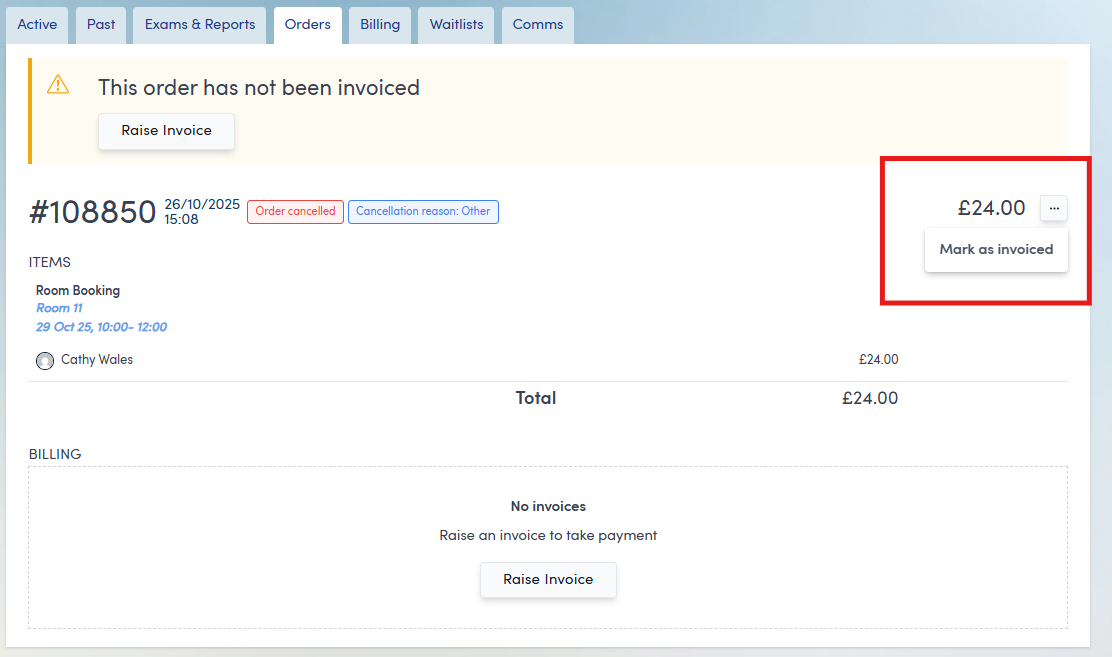
1. Mark as Invoiced button now available on cancelled orders [Click here]
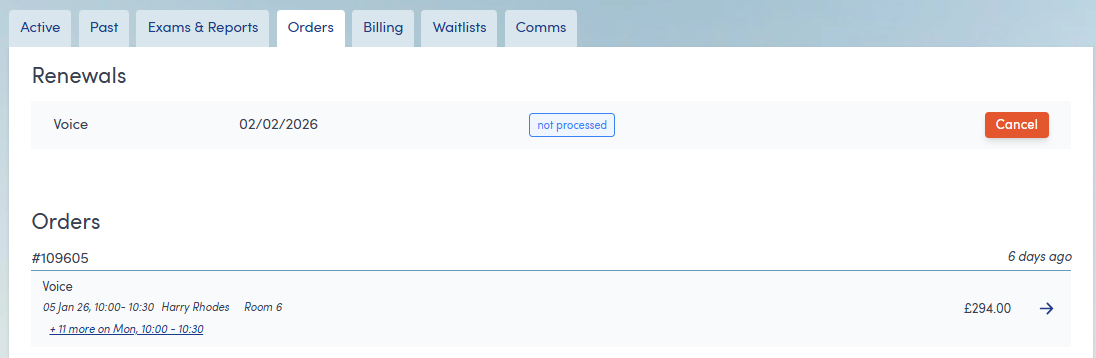
2. Upcoming Renewals are now shown on the Customer's Orders tab [Click here]
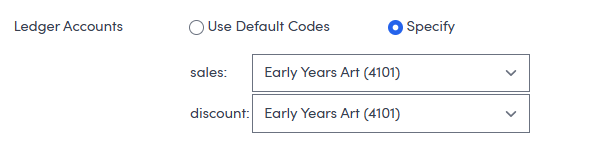
3. Service ledger accounts are now configurable through the user interface [Click here]
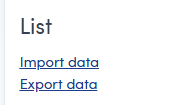
4. Exporting Lists [Click here]
5. Image dimensions for courses in the Shop and Course Search Widget [Click here]
6. Instalment pricing in the Shop and Course Search widget [Click here]
7. Miscellaneous performance improvements [Click here]
You can now manually mark fully cancelled orders as Invoiced, giving you much more flexibility when tidying up your order records. Previously, cancelled orders were stuck in an un-invoiced state, which meant they continued to appear in the Uninvoiced Orders export. With this update, a Mark as Invoiced option is now available via the three-dots menu on the Order page, making it easy to keep your data clean and accurate.
We’ve made it simpler to stay on top of customer renewals. Each customer’s Orders tab now displays their upcoming tuition renewals, so you no longer need to search through multiple pages of the Renewals list.
This makes it much quicker to find, amend or cancel Renewals for students who aren’t continuing or who need changes to their tuition pattern, or discounts applying, for the next term.
Previously, if you wished to make a change to the ledger account to which a particular service's transactions were posted, this could only be done via a support ticket request.
You now have greater control over how transactions are recorded for each Service. On the Service page, you can choose between using Swiftlier’s Default Codes or selecting Specify, which allows you to define exactly which ledger accounts Swiftlier should use for Sales and Discounts. This update gives you added clarity, flexibility and precision in your financial setup.
A popular request is now live: you can now export Lists for use in other platforms or workflows.
When viewing a List, you’ll find a new Export data link on the left-hand side of the screen, making it easy to take your information wherever you need it.
(Remember to store all downloaded personal information securely, password protecting files and deleting them as soon as the original purpose of the download has been fulfilled.)
We’ve improved how course images display across the Shop and Course Search widget.
Previously, the varying length of course cards - especially for courses with many Book buttons - sometimes caused images to appear as thin slivers. To resolved this, we now fix the aspect ratio between width and height. This creates a more consistent appearance.
This does mean that images may appear smaller for courses with a large number of Book buttons, and we’re planning further enhancements here.
Tutor images are unaffected, but for best display quality, we recommend landscape-oriented photos with the tutor centred and their face positioned in the upper-middle area.
To help customers understand pricing at a glance, courses with a multi-payment invoice structure now show both the initial payment amount and the total cost.
This clearer presentation helps reduce concerns around initial financial commitment when browsing courses, whilst still making the total price of the course clear.

We’ve also delivered a range of performance enhancements and bug fixes behind the scenes, keeping Swiftlier running smoothly, quickly and reliably.
If you have any questions, or suggestions on features you'd like to see in Swiftlier, don't hesitate to send them to us on help@swiftlier.com!

© 2026 Abstract Leap Ltd


